Blog

  • WordPress Launch Checklist: What Technical Teams Must Fix Before and After Going Live

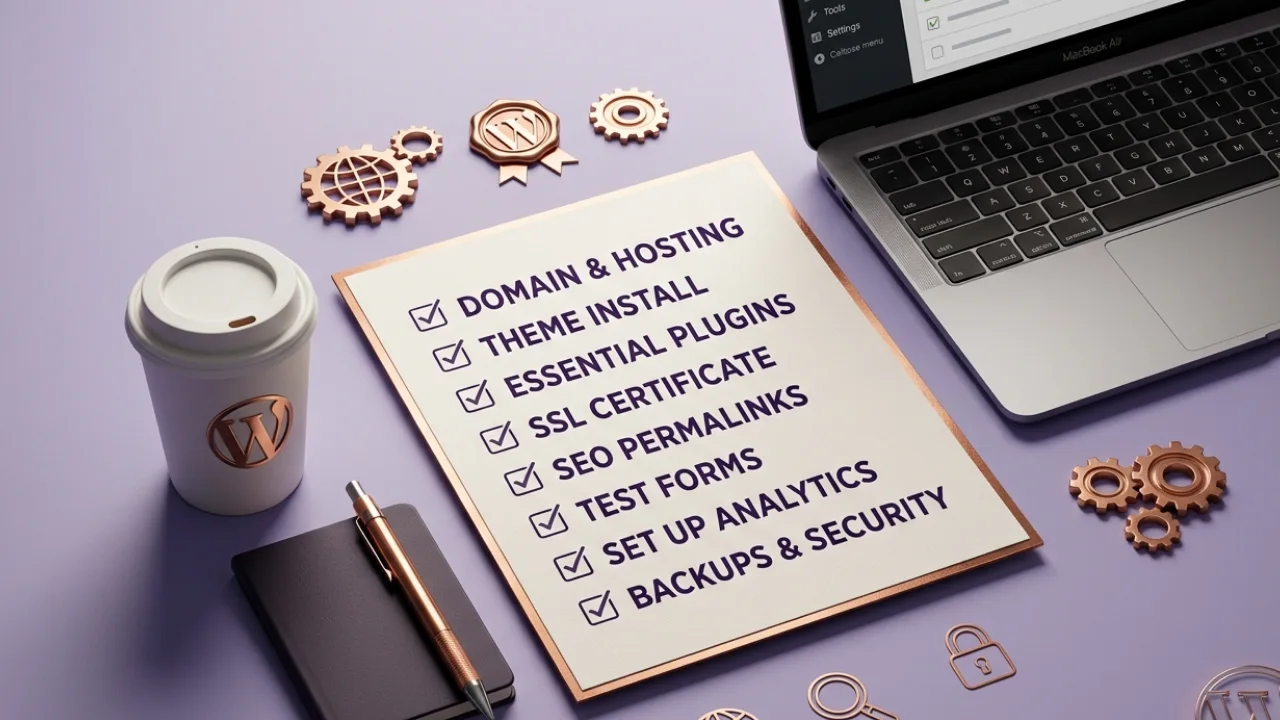
    WordPress Launch Checklist: What Technical Teams Must Fix Before and After Going Live

    You’ve built a WordPress website, and everything looks good and complete. You send the link to the client, feeling like the work is done.

    Then they start testing it.

    They click a button that should lead to the About page, but it opens a service page instead. They try to fill out a form on the contact page, but the fields are not even working. They read through the content, the email is wrong, the phone number is off, and the address doesn’t even match what was provided. They keep scrolling, and something just feels off; spacing is inconsistent, a section breaks on mobile, and the whole experience is just not great.

    Some of these things, clients will not even notice.

    Many technical teams don’t run proper QA. In some cases, there is no QA process at all. Even in teams that have testers, some of these issues still slip through. Because repeated exposure makes the errors easy to miss. After working on something for too long, your eyes adjust to it.

    That is why it is the responsibility of the technical team to check beyond the surface level. Things like functionality, consistency, speed, and small details before anything goes live.

    This guide will walk through what to check before launch and what to verify after launch, so nothing important slips through.

    Pre-Launch Checklist (What to Fix Before Going Live)

    It starts with the basics. Things that look small, yet can affect how the entire WordPress website functions and how the client experiences it.

    General Settings and Admin Setup

    Here’s what to check:

    • Correct admin email
      The email connected to the site should be the client’s preferred email, not a placeholder or a developer’s email. This affects notifications, password resets, and form alerts.
    • Clean dashboard
      The admin area should be simple and easy to use. Remove anything the client does not need so they are not confused when they log in.
    • Remove demo content
      Demo pages, placeholder text, and sample posts have no business on a live site. Go through every page and clear out anything that does not belong.
    • Set permalinks properly
      Use clean URLs like post name format. This helps with SEO and makes links easier to read and share.
    • Turn off maintenance mode
      A website can be fully ready and still hidden from users just because maintenance mode is active. Always confirm it is turned off before launch.
    • Time zone configuration
      The website should reflect the client’s location. This affects blog posts, scheduled content, and time-based actions.
    • Limit plugins
      Too many plugins can cause conflicts and reduce performance. Keep only what is needed for the site to function properly.
    Additional checks
    • Create a user account for client admin
      Have a proper login ready for the client. Share access at the right time.
    • Set site favicon
      Replace the default icon with the client’s brand.
    • Custom login page with client branding
      A simple touch that makes the website feel complete.
    • Change admin URL
      Use something cleaner: /login instead of /wp-admin.
    • Install caching plugin
      Improves page load and overall performance.
    • Add video tutorial to dashboard
      Helps the client manage the website without constant support.

    Site Security Essentials

    Once the general setup is in place, the next thing is security. A WordPress site that is not properly secured is open to easy attacks, spam, and unauthorized access. These are issues that can damage the website and the client’s trust if ignored.

    Here is what to check

    • Install a security plugin
      A reliable security plugin helps monitor activity and block suspicious access attempts.
    • Enable 2FA for admin users
      This adds an extra layer of protection beyond just username and password.
    • Limit login attempts
      Prevent repeated login trials that can be used to guess passwords.
    • Add reCAPTCHA to forms
      This helps block spam submissions and fake entries on contact forms.
    • Confirm SSL is active and working
      The site should load over HTTPS. This protects user data and supports SEO ranking.
    SEO Foundations (Before Google Sees Your Site)

    Make sure the site is ready for search engines before it goes live. A well-built website without proper SEO setup can remain invisible online.

    Here is what to check

    • Set the correct site title and tagline
      The brand name and message should be accurate.
    • Install an SEO plugin
      This helps manage titles, descriptions, and overall SEO structure, e.g, Yoast SEO.
    • Write unique meta titles and descriptions for each page
      Each page should clearly describe what it offers. This improves search visibility and click-through.
    • Set up XML sitemap
      This helps search engines understand the structure of the website and index pages faster.
    • Connect Google Analytics and Search Console
      This allows tracking of visitors, performance, and search visibility
    • Make sure the site is indexable
      Check that search engines are allowed to crawl the site. A single wrong setting can hide the entire website from search results.
    Old or Existing Website Considerations

    If the client had a previous website, extra care is needed here.

    Here is what to check

    • Keep existing page links the same where possible
    • Set up 301 redirects for changed pages
      If a page must change, redirect the old link to the new one. This keeps traffic flowing and prevents broken links.
    Content and Page Readiness

    Here is what to check

    • Proofreading across all pages
      Go through each page line by line. Check spelling, punctuation, and sentence flow.
    • Working links and buttons
      Every button should lead to the right page. Every link should open correctly. No dead ends, no wrong redirects.
    • Legal pages in place
      Privacy Policy, Terms and Conditions, and Cookie Policy should be present and accurate. These pages are expected on any standard website and help build credibility.
    Performance and Optimization

    A WordPress website that loads poorly can push users away before they even explore what is on the page.

    Here is what to check

    • Run PageSpeed tests
      Test the site on both desktop and mobile. Aim for strong scores, especially on mobile, where most users will visit from.
    • Set up caching
      Caching helps the site load faster by storing parts of it for quick access.
    • Minify CSS and JavaScript files
      Reduce file sizes so the browser can load the site faster and more smoothly.
    Image Optimization

    Images play a big role in how the site looks.

    Here is what to check

    • Use proper image sizes
      Large images should be reduced. Banners can be kept under control, and smaller images should not carry unnecessary weight.
    • Use WebP where possible
      This format keeps quality high and file size low. JPG and PNG can still be used if the WebP alternative doesn’t offer major size reduction.
    • Add alt text to all images
      This helps with accessibility and improves SEO by giving search engines context about the images.
    • Enable lazy loading
      Images should load only when users scroll to them. This keeps the initial page load faster.
    Forms and Data Handling

    Here is what to check

    • Form submissions are working
      Test every form like a real user. Fill it, submit it, and confirm that it goes through without issues.
    • Clear success and error messages
      After submission, users should see a proper message. They should know if their action was successful or not.
    • SMTP configuration is active
      Form entries should reach the client’s email inbox.
    • Form data is stored
      Submissions should not rely on email alone. There should be a backup inside the dashboard where the client can view all entries.
    User Experience and Responsiveness

    A WordPress website should be smooth, predictable, and easy to move through.

    Here is what to check

    • Mobile responsiveness as priority
      Most users will visit on mobile. The site should adapt properly across different screen sizes.
    • Cross-browser testing
      Open the website on Chrome, Safari, Edge, Firefox, e.t.c. Layout, fonts, and interactions should remain consistent.
    • Navigation works as expected
      Menus, dropdowns, and links should guide users without confusion.
    • UI consistency across pages
      Buttons, fonts, colors, and spacing should match across the entire site.
    • 404 page is active and helpful
      If a user lands on a wrong link, they should see a proper 404 page with a way back to the homepage.
    • Search functionality works properly
      If the website includes search, results should display correctly and guide users to relevant content.
    E-commerce (If Applicable)

    If the WordPress website includes payments or product sales, then extra attention is needed here.

    Here is what to check

    • Payment gateway is set to live mode
      No test mode during launch. Transactions should work with real payments.
    • Shipping is configured correctly
      Rates, locations, and delivery options should match what the client has approved.
    • Checkout process is smooth
      Remove unnecessary fields. Keep it simple so users can complete purchases without delay.
    • Order emails are working
      Both the admin and the customer should receive confirmation emails after each order.
    • Currency setup is accurate
      The correct currency or multiple currencies should be displayed based on the client’s needs.
    • Refund and return policy is available
      Customers should be able to find this information easily before making a purchase.

    At this point, the WordPress launch checklist covers everything from first interaction to final transaction. When all these pieces are in place, the site is ready to perform.

    Conclusion

    A website launch is the point where real users start interacting with what has been built.

    Small things that look harmless during development can turn into real problems once the site goes live.

    This is why a structured checklist matters. It removes guesswork and gives the team a clear way to confirm what is ready and what still needs attention.

    In the end, the difference between a working site and a successful one is what happens before launch and what happens after it goes live.

    Launching a WordPress Website Soon? Let’s Get It Right the First Time

    If you are building or preparing to launch a WordPress website, the process you follow makes a huge difference in how it performs after going live.

    At Mactavis, we do not just push websites live. We go through every detail to make sure the site works properly, feels smooth to use, and is ready to bring results from day one.

    Talk to our team. Let’s build something that works properly from the start.
  • Can a Website Run Without Maintenance? Here’s What Happens

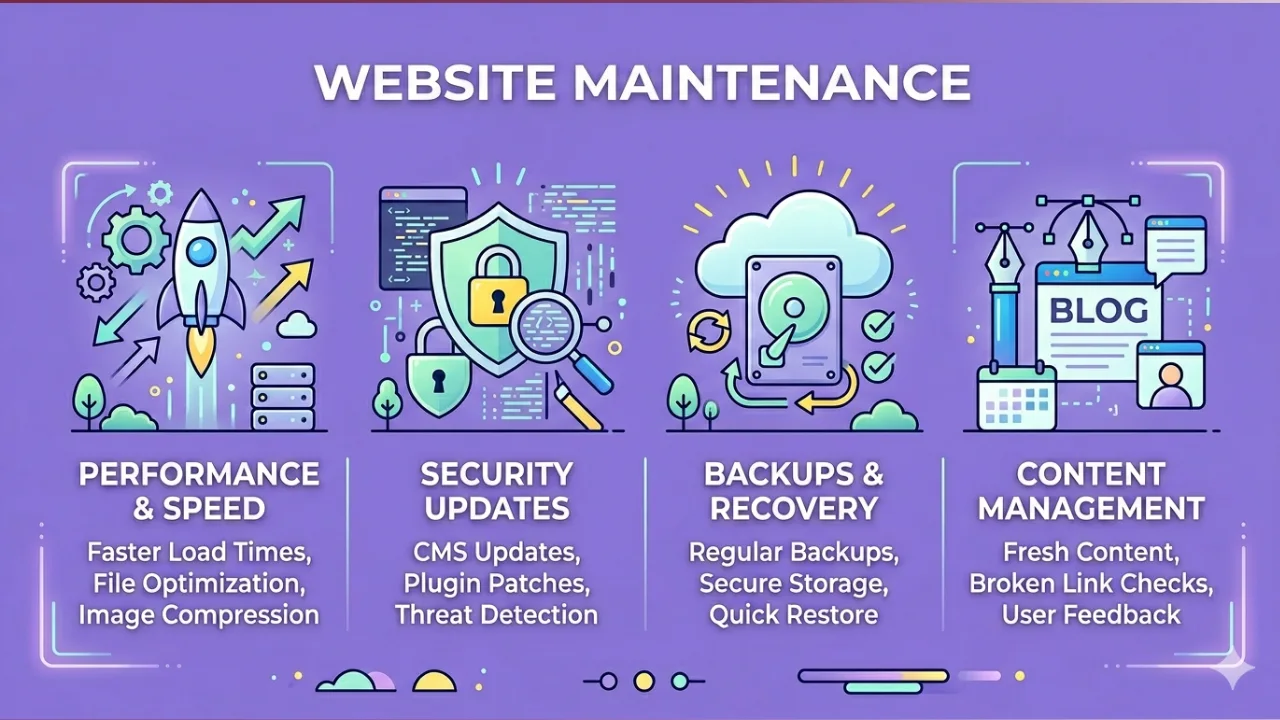
    Can a Website Run Without Maintenance? Here’s What Happens

    A lot of business owners launch their website and then just assume that the job is done. The site looks clean, the pages load, and everything seems to be in place.

    A website can run without maintenance, but it will not run well, it will not stay secure, and it will not bring consistent results for your business.

    That is why website maintenance is directly tied to how your business performs online, how customers perceive you, and how much value your website actually delivers.

    Let’s break down what really happens when a website is left unattended and why it matters more than most businesses realise.

    Can a Website Run Without Maintenance?

    Yes, a website can run without maintenance. It will stay online, pages will work, and everything may look fine. That is the part many business owners see, and that is where they start to misunderstand things.

    A website without maintenance does not stay in the same condition for long. Over time, performance begins to drop, security gaps start to show, and search visibility weakens. The changes are quiet at first, then they begin to affect traffic, user experience, and eventually revenue. At that point, the damage is already in motion.

    In practical terms, websites need maintenance to remain fast, secure, and visible on search engines. Without it, they become unreliable. Users notice delays, broken elements, and a poor experience, and they leave without thinking twice. Search engines pick up these signals, and rankings begin to slide.

    Here is what typically happens when a website runs without maintenance:

    • Performance drops
      Pages take longer to load as files pile up, code becomes outdated, and nothing is optimised over time.
    • Security risks increase
      Outdated plugins and systems create entry points for attacks, putting data and business reputation at risk.
    • SEO rankings decline
      Broken links, outdated content, and technical issues make it harder for search engines to trust and rank the site.
    • User experience weakens
      Forms stop working, layouts break on mobile, and visitors leave quickly once things feel off.
    • Reliability becomes uncertain
      The website may go offline unexpectedly or fail during important moments like campaigns or promotions

    So yes, a website can run without maintenance. But what is the point if the site doesn’t work well? And for any business that depends on online presence, that difference is everything.

    What Happens When You Ignore Website Maintenance

    At first, everything will look okay. The website is live, pages are opening, and nothing looks broken.

    Then, little by little, things start to change.

    Your Website Becomes Slower Over Time

    Your website does not stay in the same shape forever. Files pile up, plugins get old, and performance starts to drop.

    Before you know it, pages take longer to load.

    And the truth is, once a site feels slow, people leave. No one has the patience to wait for a website to open when they have other options.

    Your SEO Rankings Start Dropping

    Search engines pay attention to how your website behaves. Once there are broken links, outdated content, or technical issues, your rankings begin to fall. And you may not notice immediately.

    Security Risks Increase

    Old plugins and outdated systems create weak points. That’s all it takes.

    You don’t get hacked because someone is watching you. You get hacked because your website is open.

    Features Start Breaking Quietly

    Your website can look perfectly fine on the surface and still be broken underneath.

    • Forms stop sending emails.
    • Buttons stop responding.
    • Mobile view starts looking strange on certain phones.

    And you only find out when a customer complains or when leads stop coming in.

    You Start Losing Customers Without Knowing Why

    People come, look around, and leave.

    Maybe the site feels off. Maybe something didn’t work. Maybe it just didn’t feel reliable.

    They won’t explain it. They just move on to another option.

    Downtime and Revenue Loss

    At some point, the website may go offline.

    Even if it’s for a short while, it still costs something.

    • Missed messages.
    • Lost sales.
    • Lost trust.

    And rebuilding that trust is always harder than keeping things stable in the first place.it back.

    That’s how it happens. Not all at once, but gradually.

    What Website Maintenance Should Include

    Most people hear “website maintenance” and think it is just fixing things when they break. But it is more than that.

    Proper website maintenance is a steady process of keeping the site healthy, stable, and ready for users at all times. When it is done right, your website does not just stay online; it stays reliable, fast, and safe.

    Here is what it actually involves.

    Security updates

    This is one of the first layers of protection.

    Your website tools, plugins, and system need regular updates to close security gaps that can be exposed over time.

    Without this, your site becomes easier to attack, even if nothing looks wrong on the surface.

    Plugin and system updates

    Most websites rely on plugins and content systems to function properly.

    Over time, these tools release new versions to fix issues and improve performance. When updates are ignored, things begin to clash.

    That is when errors, broken layouts, or strange behaviour start showing up.

    Performance optimization

    A website can slowly become heavy without anyone noticing.

    Images, scripts, and unused files build up and begin to slow things down.

    Performance optimisation clears that weight so pages load faster and run smoother for users across all devices.

    Backups

    Things can go wrong at any time. A failed update, a broken plugin, or even a server issue can affect your entire site.

    Backups act like a safety copy. If anything goes wrong, the website can be restored without starting from scratch.

    Bug fixes

    Small issues appear over time. A button stops working, a form behaves strangely, or a page layout suddenly looks weird.

    These are often ignored until they start affecting users.

    Fixing them early keeps the website stable and avoids bigger problems later.

    SEO monitoring

    Search performance does not maintain itself. Pages can drop in rankings due to broken links, missing tags, or slow speed.

    SEO monitoring helps track these changes and correct issues before traffic starts falling.

    Content updates

    Websites are not meant to stay static. Information gets outdated, services change, and new details need to be added.

    Updating content keeps the site relevant and helps both users and search engines trust it more.

    Why this matters for businesses

    A website is not a brochure that just sits still. It behaves more like a system that reacts to time, usage, and external changes

    Without regular care, small issues stack up until they start affecting visibility, leads, and customer trust

    Most times, businesses only notice when enquiries drop or when something visibly breaks. By then, recovery already takes more effort than prevention would have taken.

    For businesses that depend on their website for leads, enquiries, or brand presence, skipping maintenance is almost the same as leaving a store open with no one checking the doors or lights.

    Keep Your Website Healthy and Growing

    A website that is live does not mean it is healthy.

    That is why proper website maintenance is very important. It keeps everything updated, secure, and performing consistently, so visitors trust your brand and conversions don’t fall.

    Mactavis Digital offers full website maintenance services for businesses that want their sites to stay fast, safe, and reliable. From security updates to plugin fixes, speed optimisation, SEO monitoring, and content updates, every part of your website is checked and maintained regularly

    If your website already exists but something feels off, or performance and enquiries are not as strong as expected, Mactavis can step in to review, fix, and optimise everything before small issues become bigger problems

    Take action today and give your website the care it deserves. Contact Mactavis now to schedule a maintenance check and make sure your website is working for your business, not against it.

  • How to Validate Your Startup Idea Before Building an MVP

    How to Validate Your Startup Idea Before Building an MVP

    As a founder, one of the worst mistakes you could ever make is to move straight into development once an idea forms in your head.

    Building a product before validation usually leads you to building features nobody asked for, and then you realise you’ve wasted time and resources. That idea may sound convincing in your own mind. Your close circle may even praise it. But praise is not enough. Real validation comes from people who actually face the problem you want to solve.

    That is why startup idea validation is a non-negotiable.

    What Startup Idea Validation Means

    Startup idea validation simply checks whether the problem you want to solve actually exists and whether people care enough to want a solution.

    Startup idea validation focuses on three things.

    1. Confirm that the problem truly exists

    An idea usually starts from observation or personal experience. But a single experience does not always represent a wider audience.

    Validation asks a simple question: Do other people face this same problem often enough for it to matter?

    Signs that the problem exists may include repeated complaints, shared experiences, or recurring obstacles within a specific industry or community.

    2. Check if people actually want a solution

    A problem alone is not enough. Some problems exist, but people have learned to live with them. Others appear once in a while and do not seem urgent.

    Early product validation checks whether people show interest in solving the problem. Interest may show through conversations, feedback, curiosity about the product idea, or willingness to try a new approach.

    When people ask questions such as “When will this be available?” or “Can I test this?”, that reaction is a strong signal.

    3. Measure real interest

    Interest can appear in different ways.

    For example:

    • People sign up for a waiting list
    • Users volunteer to test an early prototype
    • Conversations reveal the same pain point repeatedly
    • Some users express willingness to pay

    These signals form the early layer of MVP validation. They suggest that building a first version of the product may now make sense.

    Assumptions vs Evidence

    An assumption is a belief about the market. Evidence is a signal from real users.

    For example:

    Assumption

    • “People will definitely use this product.”
    • “Startups will pay for this tool.”
    • “This problem affects many businesses.”

    Evidence

    • Multiple potential users confirm the problem during interviews
    • A landing page collects real sign-ups
    • People request early access to the product

    Assumptions come from ideas. Evidence comes from people.

    Why Validation Should Come Before MVP Development

    At this stage, when your idea is formed, you are tempted to start building. Everything sounds good and the solution looks clear.

    Yet starting development too early creates problems that many founders only notice after spending time and resources

    Validation exists to prevent that situation. It brings clarity before development begins and confirms whether the product idea deserves further investment.

    When validation is skipped, three common issues appear.

    Building Features No One Needs

    Without startup idea validation, product features are often based on assumptions. You may believe certain functions will be useful, yet real users may care about something entirely different.

    This leads to a product filled with features that look impressive but solve the wrong problem.

    A simple conversation with potential users could reveal the truth early. Many successful products started small because founders focused on one clear problem rather than a long list of imagined features.

    This is where the idea of a Minimum Viable Product comes in. If you want a deeper explanation of how MVPs work, you can read our guide on What Is an MVP.

    Spending Development Budget Too Early

    Building software requires time, developers, design work, testing, and infrastructure. All of this comes with financial commitment.

    Money is invested before there is clear proof that the market cares about the product.

    Many founders realise this too late. After months of development, the product launches, and user interest remains low.

    If you are exploring budgets and timelines, our guide on How Much It Cost to Build an MVP explains the financial side product development.

    Misreading the Real User Problem

    Sometimes the idea itself is not wrong. The real issue lies in how the problem is interpreted.

    You may believe users need one type of solution. After speaking with actual users, the deeper issue often appears. The product direction then changes.

    Early product validation helps uncover the real pain points people face. That clarity shapes a better product from the start.

    In simple terms, validation protects founders from building the right solution for the wrong problem.

    Signs Your Startup Idea Needs Validation

    Certain signs indicate that validation should happen before development begins.

    Look out for situations like these.

    The Idea Came From Personal Experience

    Personal experience can spark powerful product ideas. A founder notices a problem and wants to fix it.

    Yet one experience does not always represent a wider audience. Validation checks whether many other people share the same problem.

    Friends Say It Sounds Good but No Real Users Yet

    Friends and colleagues often give encouraging feedback. They want to be supportive. The challenge is that encouragement does not always reflect real market demand.

    Startup validation requires feedback from people who actually face the problem.

    No Data Supporting the Problem

    Some ideas feel logical but lack supporting information. There may be no data, no visible demand, and no clear sign that people actively search for a solution.

    Validation helps uncover whether the problem appears frequently enough to support a product.

    No Clear Target Audience

    If the intended users are not clearly defined, the product direction becomes blurry.

    Questions like these begin to surface:

    • Who exactly needs this solution
    • Which industry feels the problem the most
    • What type of user would pay for it

    Startup idea validation will helps you answer these questions early.

    Practical Ways to Validate a Startup Idea

    Validation does not require complicated tools or large budgets. In many cases, simple actions reveal powerful insights.

    The goal is to test a startup idea with real people and observe their reactions.

    Below are practical product validation methods founders use during early stages.

    Talk to Potential Users

    Direct conversations often reveal more than surveys or reports.

    Speak with people who experience the problem you want to solve. Ask open questions about their current challenges and listen carefully to their responses.

    Useful questions include:

    • What is the hardest part of dealing with this problem
    • How do you currently solve it
    • What frustrates you about the existing options

    Patterns will begin to appear after several conversations. When multiple people describe the same difficulty, the problem becomes clearer.

    Research the Market

    Market research helps confirm whether similar solutions already exist.

    Look at:

    • Competing products
    • Tools people currently use
    • Gaps within existing solutions

    Competitors are not meant to discourage you. Their presence often confirms that a real problem exists. The opportunity lies in building a better or more focused solution.

    Market research also helps refine the product idea before an MVP is built.

    Test Demand With a Simple Landing Page

    A simple landing page can reveal whether people show genuine interest in the product.

    The page may include:

    • A short explanation of the problem
    • A description of the proposed solution
    • A form where visitors can join a waiting list

    If visitors willingly leave their email address to learn more, that reaction becomes a valuable signal.

    Share the Idea in Relevant Communities

    Online communities provide honest feedback when the audience faces the problem directly.

    Examples include:

    • industry forums
    • professional groups
    • startup communities
    • niche discussion platforms

    When the idea is shared openly, reactions often appear quickly. Some people may challenge the idea. Others may express interest.

    Both responses are useful. Critical feedback often exposes gaps in the product concept.

    Run Small Experiments

    Short experiments help test assumptions without building the full product.

    Examples include:

    • short surveys about the problem
    • mock product demos
    • simple prototypes
    • early sign-up campaigns

    These experiments provide small signals that accumulate over time.

    Gradually, assumptions begin to fade, and evidence begins to appear.

    How Mactavis Digital Helps Founders Validate Product Ideas

    Validation becomes easier with a structured approach. Many know they need validation, but they don’t know where to begin or how to organise the process.

    At Mactavis Digital, validation begins before development discussions. The goal is simple. Confirm that the product idea rests on real user needs before writing code.

    1. Product Discovery Sessions

    During these discussions, the product concept is examined carefully. The intended users are defined, the problem is articulated clearly, and early assumptions are reviewed.

    Clear answers to these questions help shape a stronger product direction.

    2. Feature Prioritisation

    Many product ideas begin with a long list of features. During validation, those features are examined carefully.

    We focus on identifying the few capabilities that directly solve the main problem.

    3. Roadmap Planning

    Once validation signals appear, the next step involves planning the product roadmap.

    This roadmap outlines:

    • the first version of the product
    • the most important features
    • the development phases that may follow

    With this structure in place, development decisions become clearer and more intentional.

    If you are working on a startup concept and want to validate it properly, book a discovery session with Mactavis Digital. Speak with us and get clear guidance on the next step for your startup idea.

  • How Much Does It Cost to Build an MVP?

    How Much Does It Cost to Build an MVP?

    The cost to build an MVP depends on several factors: the features you need, the complexity of the product, the team you hire, and how quickly you want it ready. Generally, small MVPs with basic features can start from around $5,000 to $15,000, while more advanced MVPs with multiple functionalities may go up to $50,000 or more. Smart scoping, where you focus only on what truly and really matters for early users, affects cost far more than any other factor. Before talking numbers, it is important to validate your idea and test for product-market fit, as discussed in our previous articles on building an MVP and proving demand.

    By keeping your MVP lean and targeted, you control costs while still learning what your users really want.

    What Determines the Cost of Building an MVP?

    Several factors come together to shape the price of your MVP. Understanding these elements helps you plan better and avoid overspending while still delivering real value to your early users.

    Product Complexity and Feature Scope

    The more features you include, the higher the cost. Each integration, whether with payment gateways, analytics tools, or other systems, adds to development time. Also, deciding whether your MVP will be web-only, mobile-only, or both directly affects pricing. Keeping the feature list focused on essentials helps control costs without limiting learning.

    Design Requirements

    Design is another area where costs can rise. Custom user interfaces require more time to craft, while clear user flows and well-tested prototypes add extra work. If you want your MVP to feel smooth and intuitive, budgeting for design is necessary.

    Development Team Structure

    Who builds your MVP matters a lot. Freelancers can be cheaper but may require more oversight, while in-house teams offer control but come with higher overheads. Agencies provide experience and full support. Involving a product manager during development can prevent costly mistakes and ensure the MVP meets early user needs.

    Timeline and Speed

    Finally, how quickly you want the MVP ready influences cost. A standard timeline allows steady work and lower rates, while an accelerated build may need more developers and longer hours, pushing up expenses. Planning your timeline alongside your priorities ensures efficiency and prevents unnecessary spending.

    Average MVP Development Cost by Stage

    Understanding how much it costs to build an MVP at different levels helps founders plan realistically without overpromising or underestimating. The cost depends on features, design, team, and technical choices. Here is a practical breakdown based on the type of MVP you might consider.

    Basic MVP (Core Feature Only)

    A basic MVP focuses on solving the core problem with the smallest set of features. It is lean and simple, intended to test demand quickly.

    • Cost range:$6,000 to $15,000
    • Use case example: A simple web app that allows users to register, log in, and complete one main action, such as booking a service or submitting a form.
    Mid-Level MVP (Multiple Core Features)

    This level includes several core features that give users more flexibility and interaction. It may also involve basic integrations like payment or messaging.

    • Cost range:$15,000 to $40,000
    • Use case example: An e-commerce MVP allowing users to browse, add products to cart, checkout, and receive email notifications.
    Advanced MVP (Scalable Architecture from Day One)

    Advanced MVPs are built with future growth in mind. They include multiple features, scalable architecture, and more design polish. These are suitable if early scaling or investor readiness is part of your plan.

    • Cost range: $40,000 to $200,000+
    • Use case example: A platform supporting multiple user roles, real-time notifications, analytics dashboards, and integration with third-party APIs.

    Planning your MVP according to these stages helps avoid overbuilding and allows you to focus resources on features that will validate your product.

    Hidden Costs Founders Often Overlook

    While the initial MVP development cost gets most attention, several expenses often appear after launch. These hidden costs can surprise founders if they are not planned for, and understanding them builds trust in how a product scales.

    Post-Launch Updates

    Even after the MVP is live, users will find small issues or request improvements. Fixing bugs and updating features regularly adds to costs.

    Infrastructure and Hosting

    As your product gains users, server costs, cloud storage, and bandwidth can rise quickly. Choosing cheap hosting may save money upfront but can create problems later.

    Third-Party APIs

    Integrations such as payment gateways, messaging services, or analytics tools often charge a monthly fee or per-transaction fees. These fees can increase as user activity grows.

    Product Iteration

    Improving your MVP based on user feedback requires additional design, development, and testing. Each iteration adds cost but also improves your chances of product-market fit.

    Technical Debt

    Quick shortcuts taken during early development may cause long-term maintenance costs. Refactoring code and improving architecture later is often unavoidable.

    How to Reduce MVP Cost Without Reducing Quality

    At this point, you should already know that MVP cost is shaped by decisions.

    If you want to control your MVP budget, you do not start by asking for a cheaper developer. You start by asking better questions.

    Validate Before You Build

    Money is lost when you build what nobody asked for.

    Validation protects your budget. It tells you whether the idea deserves investment at all. That is why the earlier article on idea validation matters here. If you skip validation, you are funding guesswork.

    Validation can be simple:

    • Talk to potential users
    • Run a waitlist
    • Create a landing page
    • Pre-sell access
    • Test messaging before product

    If people show interest before the product exists, that is a sign. If they do not, building more features will not fix it.

    Prioritise Must-Have Features Only.

    Some ideas seem important, some feature looks useful. But an MVP is not a full product. It is a test version.

    Ask yourself this question:
    What is the single problem this product must solve?

    Then strip everything else away.

    A practical way to prioritise features:

    1. List all features you want
    2. Mark the ones required for the product to function
    3. Remove features that are “nice to have”
    4. Delay anything that does not directly prove value

    If a feature does not help you test product demand, it can wait.

    Feature restraint reduces development hours. Fewer hours mean lower cost. More focus means better clarity.

    That is how you protect quality. You build fewer things, but you build the right things.

    Work With a Product-Aware Team.

    There is a difference between a team that builds what you request and one that questions it.

    A product-aware team thinks about:

    • User behaviour
    • Business goals
    • Long-term scalability
    • Trade-offs between speed and structure

    If a founder says, “Let’s add this feature,” a product-aware team asks, “What problem does it solve?”

    That question alone can save thousands.

    When your development partner understands the product strategy, your MVP becomes sharper, with less waste, more direction, and better use of budget.

    How Mactavis Digital Approaches MVP Budget Planning

    How should a development partner plan an MVP budget properly?

    At Mactavis Digital, the approach is structured and practical.

    Product Discovery First

    First, the problem is examined, the target users are defined, and the core value proposition is clarified.

    This stage answers key questions:

    • What exact problem are we solving?
    • Who feels this problem the most?
    • What is the smallest version of the solution that delivers value?
    • What assumptions must be tested early?

    This step protects founders from building features that look impressive but serve no real purpose.

    Clear Scope Definition

    After discovery, scope is defined.

    The team outlines:

    • Core features to be built in version one
    • What is excluded from phase one
    • Technical requirements
    • Expected deliverables
    Phased Development

    Instead of building everything at once, development is structured in phases.

    This phased approach allows:

    • Budget spread across milestones
    • Early user feedback before heavy investment
    • Technical improvements based on real usage
    Post-Launch Support

    Many people calculate only the build cost. They don’t know orforget what happens after launch.

    At Mactavis Digital, budget conversations include:

    • Maintenance planning
    • Iteration cycles
    • Minor feature refinements

    Ready to Plan Your MVP the Right Way?

    If you are planning an MVP, the smartest move is to talk through it before committing money to development.

    Book a free discovery call with us, share your idea, and get a realistic cost estimate based on your actual feature scope. Ask the hard questions about feasibility, timeline, and product direction.

  • How to Know If Your MVP Has Achieved Product-Market Fit

    How to Know If Your MVP Has Achieved Product-Market Fit

    After building your MVP, the next question you ask yourself is: has your product achieved product-market fit? Product-market fit means your solution solves a clear problem for a specific group of people, and they are willing to use it consistently, pay for it, or recommend it without being pushed. It is the point where demand becomes visible, not assumed.

    In the previous section, we explained what an MVP is and why startups build one in the first place. Now the conversation moves forward. Building an MVP proves you can create something. Product-market fit proves people actually want it.

    A few downloads or kind comments for your product is not product-market fit. Real product-market fit shows up in user behaviour, retention, engagement, and organic growth. So at this stage, the goal shifts from building features to validating demand.

    What Does Product-Market Fit Mean for an MVP?

    At the MVP stage, product-market fit simply means your product solves a clear problem for a specific group of people, and they keep using it without being chased. They see value, they return, and they tell others.

    Product-market fit is the true goal of MVP validation. You did not build your minimum viable product just to launch. You built it to test demand. If early users try the product once and disappear, it is not a fit. If they come back repeatedly, complete key actions, and ask for improvements, then you have achieved a product fit.

    There is a difference between early traction and real product-market fit.

    Early traction can look like:

    • A spike in signups after launch
    • Friends and family downloading the app
    • Positive comments on social media

    Real product-market fit looks different:

    • Consistent retention from early users
    • Clear usage patterns around core features
    • Organic referrals without incentives
    • Willingness to pay or commit

    Many founders mistake noise for validation. A few downloads can feel encouraging. Yet product-market fit is proven by repetition and engagement over time. That is why MVP validation must go beyond the numbers you get during launch.

    What Are the Clear Signs Your MVP Is Moving Toward Product-Market Fit?

    If you pay attention to user behaviour, you will see signals. These signs are practical. You can track them. You can measure them. And most times, you can feel them in the way users respond to your product.

    Below are signals founders can recognise without overcomplicating the process.

    Users Keep Coming Back Without Being Pushed

    Retention is one of the strongest indicators of product-market fit.

    If users return to your MVP without constant reminders, discount codes, or aggressive follow-ups, that is a strong sign. It means the product has become useful in their daily or weekly routine. They are not testing it anymore; they are actually using it.

    Look for patterns like:

    • Users logging in repeatedly
    • Core features being used more than once
    • Drop-off rates reducing over time
    Users Refer Others Without Incentives

    Another clear sign is organic referrals.

    When people tell their friends or colleagues about your MVP without being paid or rewarded, it shows real value. No one risks their reputation on a product that does not work.

    You may notice:

    • New signups mentioning referrals
    • Users sharing your product link voluntarily
    • Word-of-mouth growth without paid ads
    Feedback Shifts From Confusion to Improvement Requests

    At the early MVP stage, feedback often sounds like this:

    • “I don’t get how this works.”
    • “What is this feature supposed to do?”

    That is normal at the beginning. Yet as you move closer to product-market fit, the tone changes.

    You begin to hear:

    • “Can you add this feature?”
    • “It would help if this part worked faster.”
    • “I use it for this purpose. Can it do this too?”

    Notice the difference? Users are no longer questioning the core idea. They are asking for improvements. That shift is a strong sign that MVP validation is progressing.

    You Can Clearly Define Who the Product Is For

    Clarity about your target audience is another indicator of product-market fit.

    As real traction builds, patterns appear. You begin to see who benefits the most.

    You might realise:

    • A specific industry uses it more
    • A certain age group engages deeply
    • A particular problem triggers repeat usage

    When you can clearly describe your ideal user without having to guess, product-market fit is taking shape. The product is no longer broad and vague. It fits a defined group with a defined need.

    That clarity makes marketing easier. It makes messaging sharper. And it strengthens your MVP validation process.

    Why Many MVPs Fail to Reach Product-Market Fit

    At this point, it is clear what product-market fit looks like. Yet many MVPs fail because certain decisions were made too early or certain signals were ignored.

    Solving a Weak Problem

    A product can be well built and still fail. The reason is that the problem it solves is not strong enough.

    If the issue is minor, users may try your MVP once and forget about it. They may like the idea, yet they will not return. That is a warning sign.

    Strong product-market fit happens when the problem is urgent, frequent, and painful enough that users want relief. If the pain is small, traction will remain small.

    Before building further, ask yourself:

    • Is this problem frequent?
    • Do people currently pay for alternatives?
    • Do users actively look for a solution?

    If the answer is weak, startup traction will remain weak.

    Targeting the Wrong Audience

    Sometimes the product is solid, yet the audience is wrong.

    Founders often say the product is for everyone. That sounds ambitious, but it creates confusion. When the message is broad, no one feels directly spoken to. Early users try it out of curiosity, not necessity.

    Product-market fit requires clarity. A defined group. A clear pain point. A focused message.

    If retention is low, it may not mean the MVP is bad. It may mean the right users have not been reached. MVP validation improves when the audience is narrowed and defined.

    Adding Too Many Features

    Feature overload can quietly damage product-market fit.

    An MVP is meant to test one core value. When too many features are added too quickly, the main purpose becomes unclear. Users do not know what the product truly stands for.

    Early traction becomes confusing. Engagement spreads across minor features instead of concentrating on the core solution. This makes it harder to measure real startup traction.

    Sometimes, removing features can move you closer to product-market fit than adding new ones.

    Ignoring Early User Feedback

    Feedback at the MVP stage is gold. It shows what users think, where they struggle, and what they actually care about.

    Yet some founders defend their original idea too strongly. They explain instead of listening, they push features instead of adjusting.

    When feedback is ignored, MVP validation becomes a guessing game.

    Product-market fit is shaped by iteration. Users signal what works through behaviour and comments. When those signals are dismissed, traction weakens.

    What to Do If Your MVP Has Not Reached Product-Market Fit Yet

    It is normal for an MVP to take time before it finds the right audience and usage patterns. Not reaching product-market fit is not failure. It is a signal to adjust, refine, and retest. Early users give you clues about what is working and what is not. Acting on those clues is what moves your product closer to real traction.

    Here are practical steps founders can take when MVP validation is still in progress.

    Narrow Your Audience

    When early traction is weak, widening the audience will not fix it. Focus on the users who get the most value. Look at patterns from your MVP analytics. Identify the segment that uses the product most, engages with core features, and shows interest in feedback.

    By narrowing your target audience:

    • Messaging becomes clearer
    • Product usage becomes measurable
    • Feedback becomes more actionable

    This helps ensure your MVP validation reflects real demand.

    Simplify Your Feature Set

    Too many features dilute the value. Go back to the core problem you are solving. Remove features that are not essential for testing this value. A focused MVP allows users to clearly see the solution you provide.

    Simplifying your product also:

    • Reduces confusion for early users
    • Speeds up testing cycles
    • Highlights what truly matters for product-market fit
    Revisit the Core Problem

    Sometimes the issue is not the product. It is the problem itself. Ask yourself: is this problem urgent, frequent, and painful for users? If the answer is no, you may need to redefine the challenge your MVP is addressing.

    Reassessing the problem helps to:

    • Align the product with real user needs
    • Make feature decisions more purposeful
    • Strengthen your MVP validation process
    Test Again in Smaller Cycles

    Iteration is normal and expected. Instead of launching a big update, run smaller tests. Release features to a limited group of users, track their responses, and adjust quickly.

    This approach allows you to:

    • Spot trends in user behaviour
    • Collect actionable feedback efficiently
    • Avoid wasting resources on assumptions

    When Should You Consider Scaling Your MVP?

    After an MVP has been tested and refined, the next question many founders face is whether it is ready to grow. Scaling too early can stretch resources, confuse users, and even damage the product’s reputation. At the same time, waiting too long can allow competitors to take the lead. Recognising the right signals is critical for moving forward confidently.

    Here are clear indicators that your MVP may be ready for scaling:

    Consistent User Engagement

    Your MVP should show steady usage without constant prompting. Users should return on their own, showing they find real value in the product. High retention rates indicate that the solution meets a tangible need.

    Positive Feedback and Improvement Requests

    Feedback should move from confusion about how the product works to suggestions for adding or improving features. When early users provide thoughtful recommendations instead of basic questions, it shows the product is resonating.

    Clear Understanding of the Target Audience

    You should know exactly who benefits most from your MVP. Scaling is risky if the product still appeals to a vague or undefined audience. Once the ideal user is identified, marketing, sales, and development efforts become more precise.

    Early Signs of Organic Growth

    If users are referring others without incentives and adoption grows naturally, it signals readiness for scaling. Organic growth indicates demand exists beyond your initial test group.

    Stable Core Features

    The MVP’s core features should function reliably and solve the main problem effectively. Scaling before the foundation is stable can create technical debt and user dissatisfaction.

    Scaling your MVP is a strategic step. It is about expanding with evidence that users value your solution and the product can sustain broader adoption. Acting on these signals ensures that growth investments are grounded, measured, and likely to yield results.

    Ready to Take Your MVP to the Next Level?

    If you feel your MVP is showing early signs of traction or you are unsure whether it has reached product-market fit, speaking to a team that understands product development can make a difference. Mactavis Digital helps startups refine ideas, validate features, and plan for growth so your product meets the right users in the right way.

    You can book a discovery session, discuss your MVP, or get guidance on the next steps without any pressure. Taking action now could save time, resources, and help your product grow with confidence.